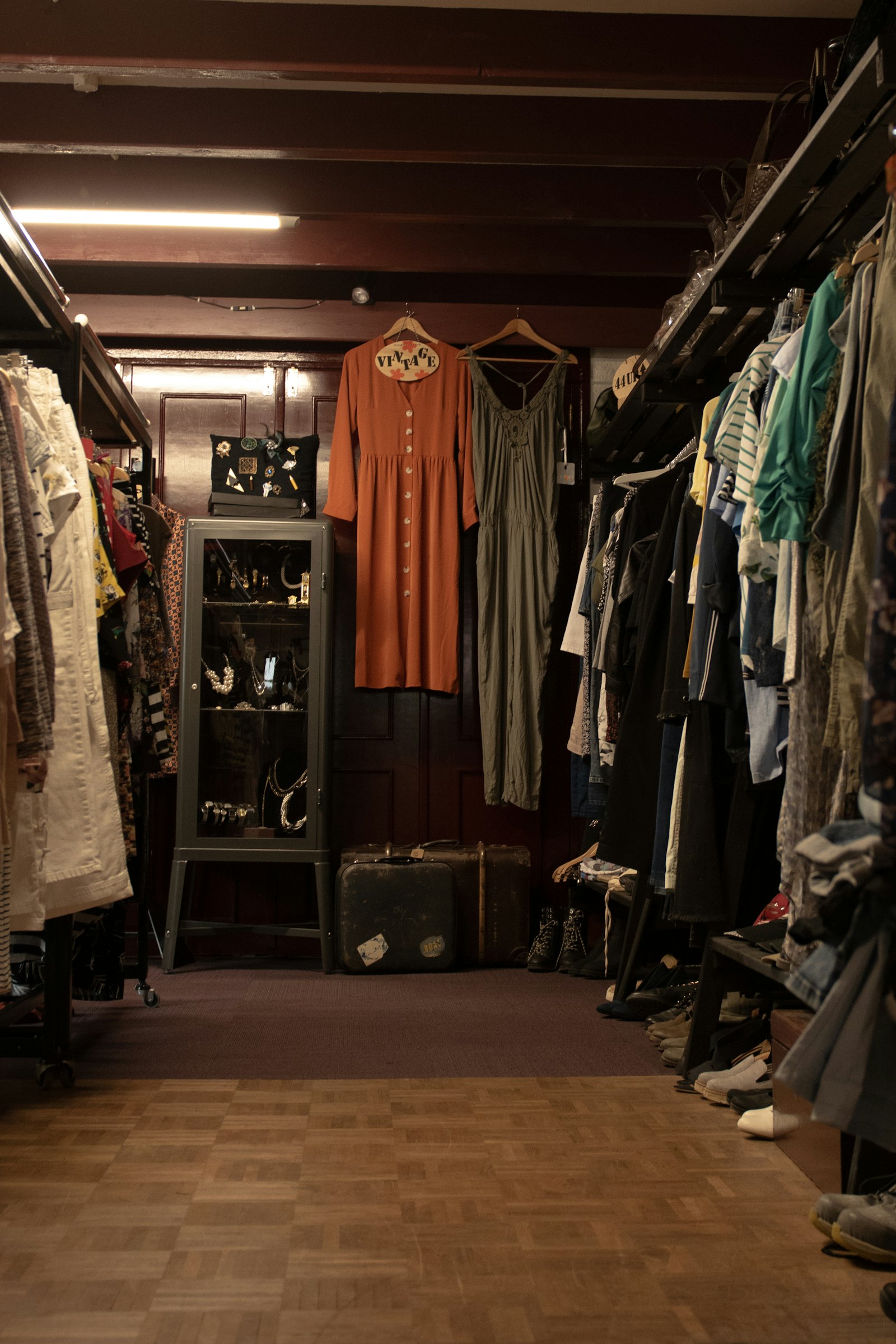
Everything consignment, in one place
Rose gives you all the tools to run a consignment, vendor or hybrid store on Square® – from take-in to payout. Whether you have one shop or a multi-location gallery, save time and grow with one easy-to-use system.
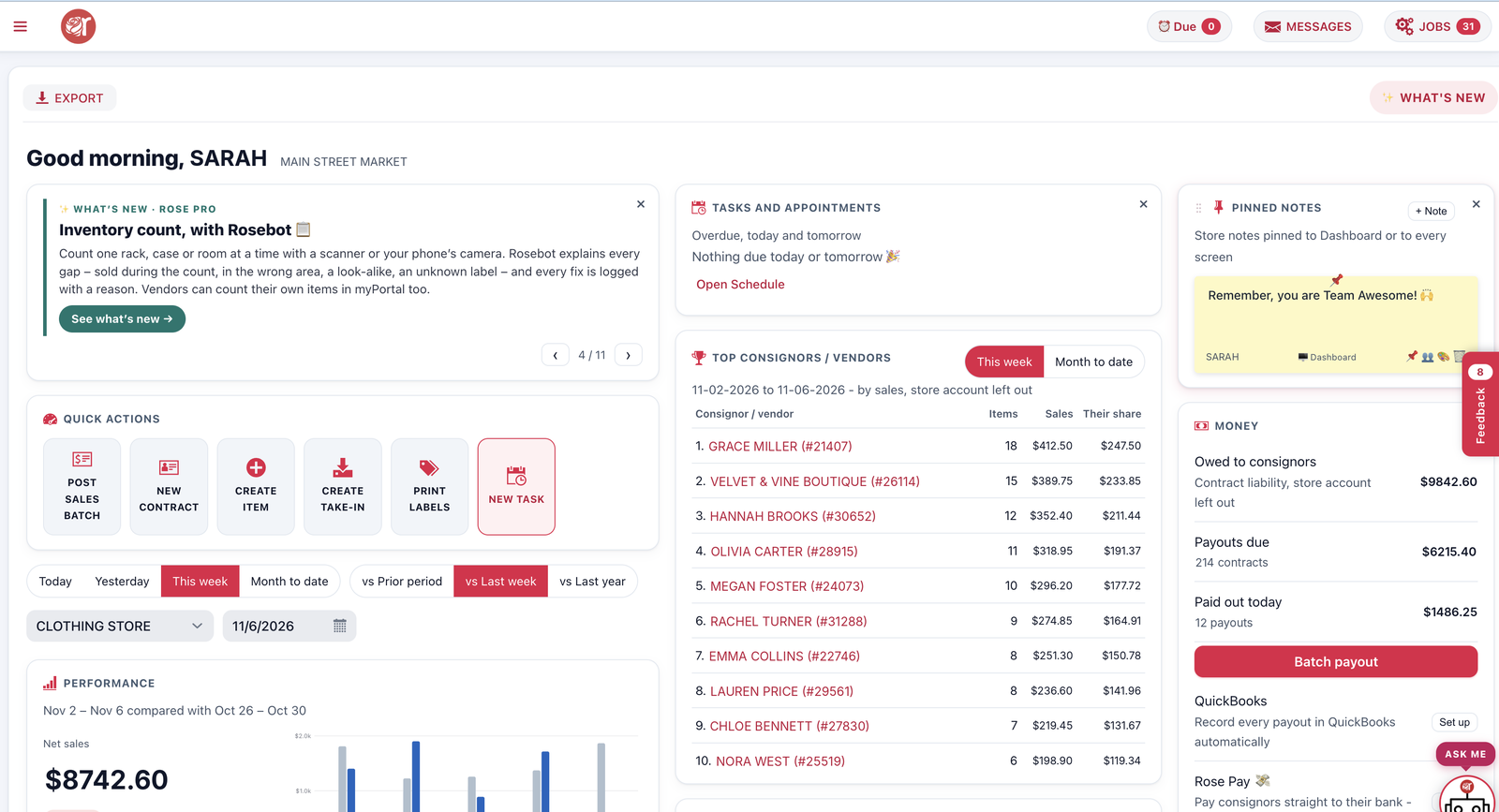
Built for the way consignment stores work
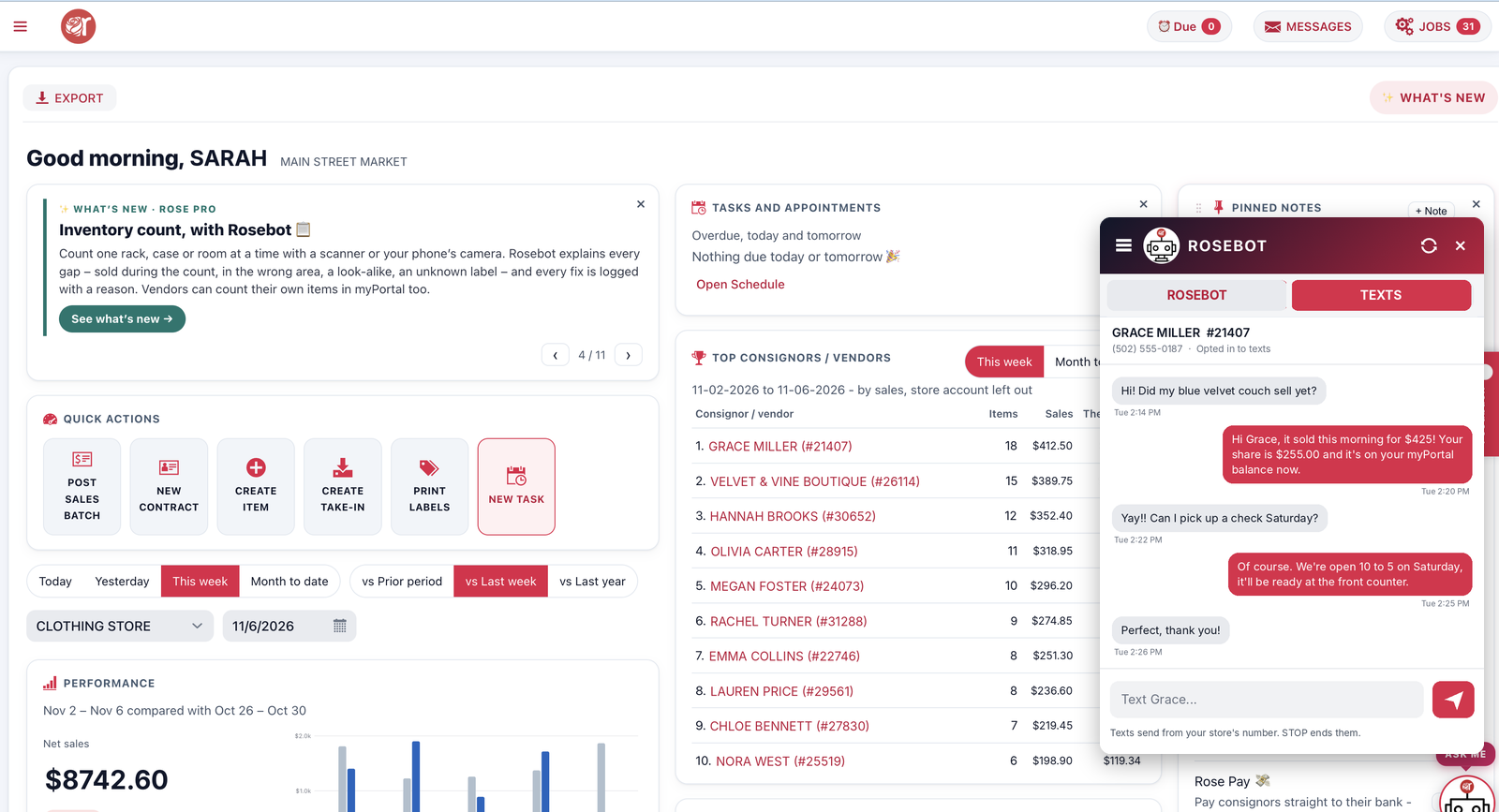
 Rosebot Rose Pro
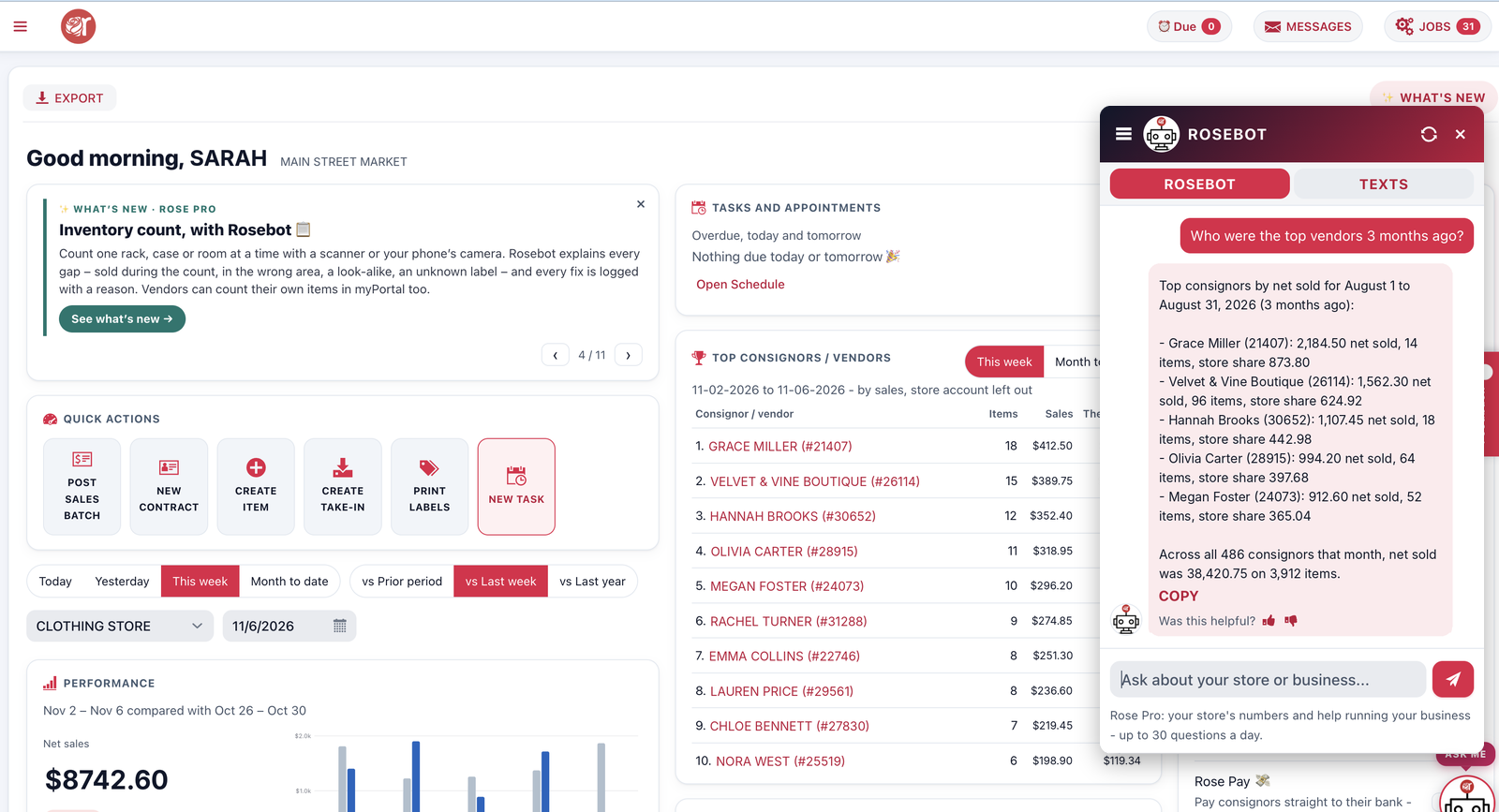
Ask your store anything
Rosebot answers from your own store data – sales, inventory, payouts and every consignor – in plain English.
- “What sold this week?” “Who’s owed a payout?”
- Finds any consignor, item or sale in seconds
- Tips and reminders right on your dashboard
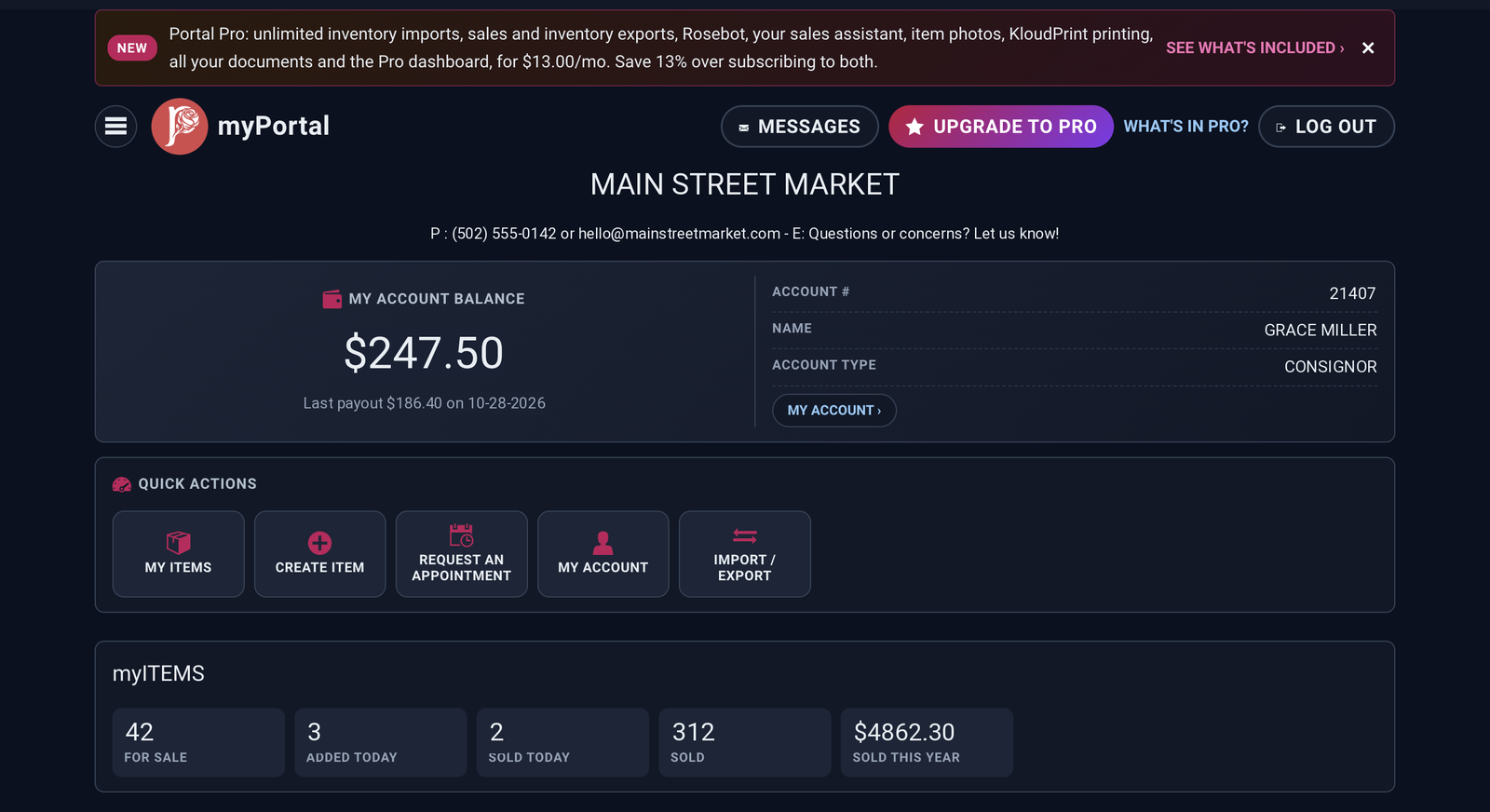
A portal your consignors and vendors will actually use
Consignors check their balance, sold items and payouts any time, on any phone – so your phone rings less.
- Vendors enter their own items and print their own labels
- Signed contracts and receipts saved in their documents
- Consignors book drop-off appointments that land on your schedule
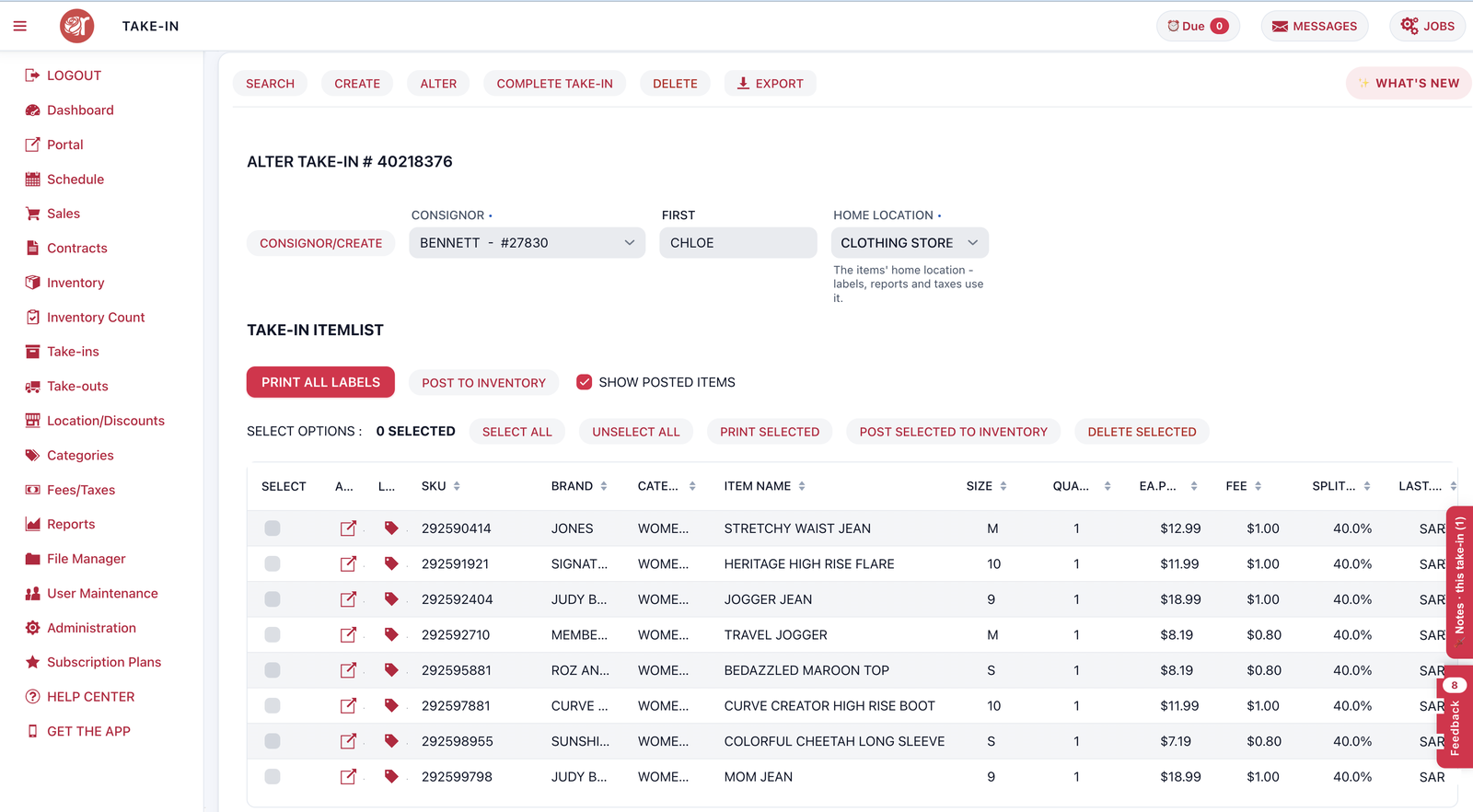
Take in a whole bag of items in minutes
Enter a consignor’s items, snap photos, print the labels and the take-in receipt in one go.
- Item photos go straight to Square
- Consignors sign right on the screen
- Tick the items you want and post just those to inventory
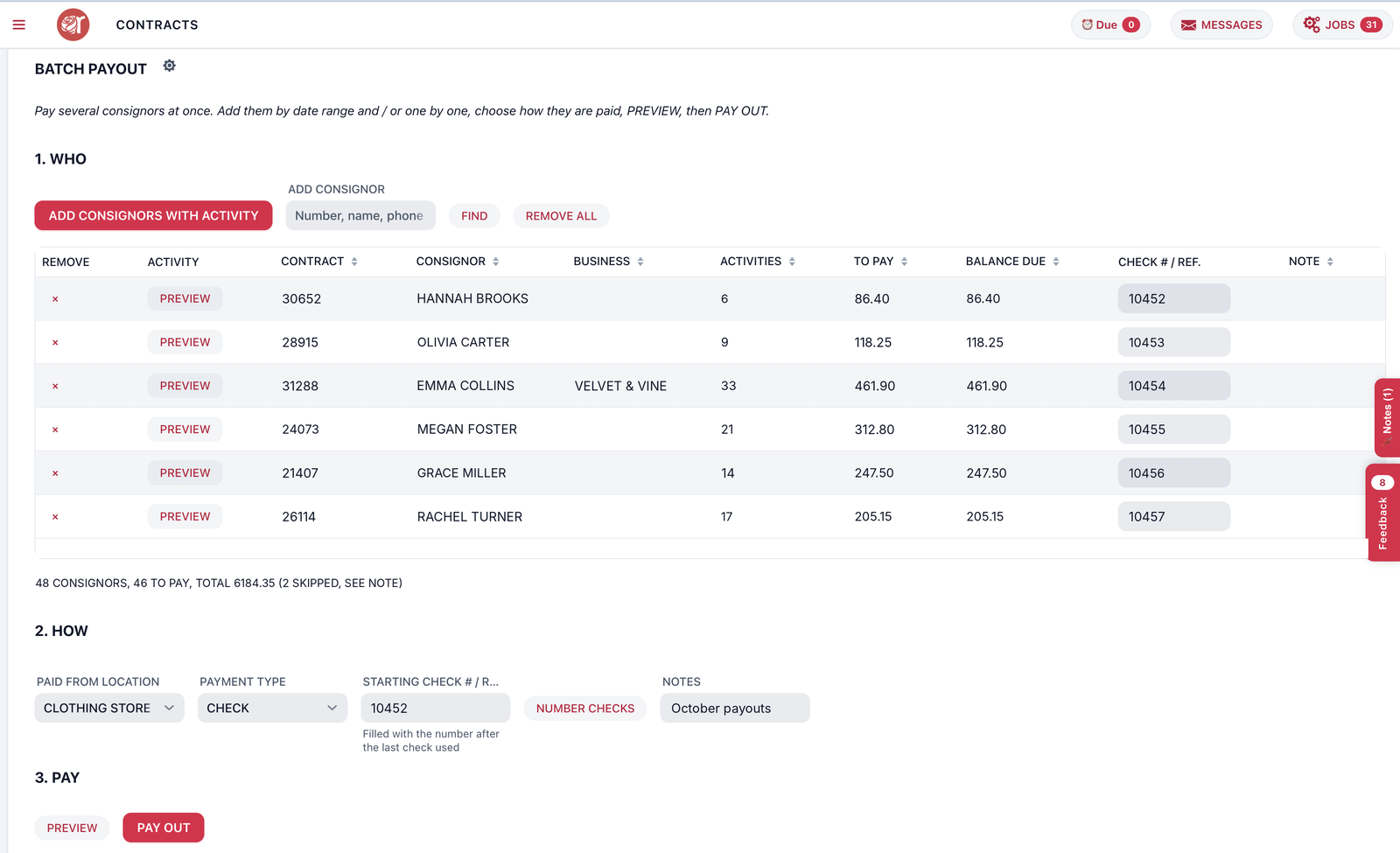
Pay every consignor in one batch
See who’s owed what, pay them all at once and let Rose tell them about it.
- Pay by check, store credit or Rose Pay bank transfer Coming soon
- Payout notices e-mailed for you, with your own note
- Payouts recorded in QuickBooks Online automatically Coming soon
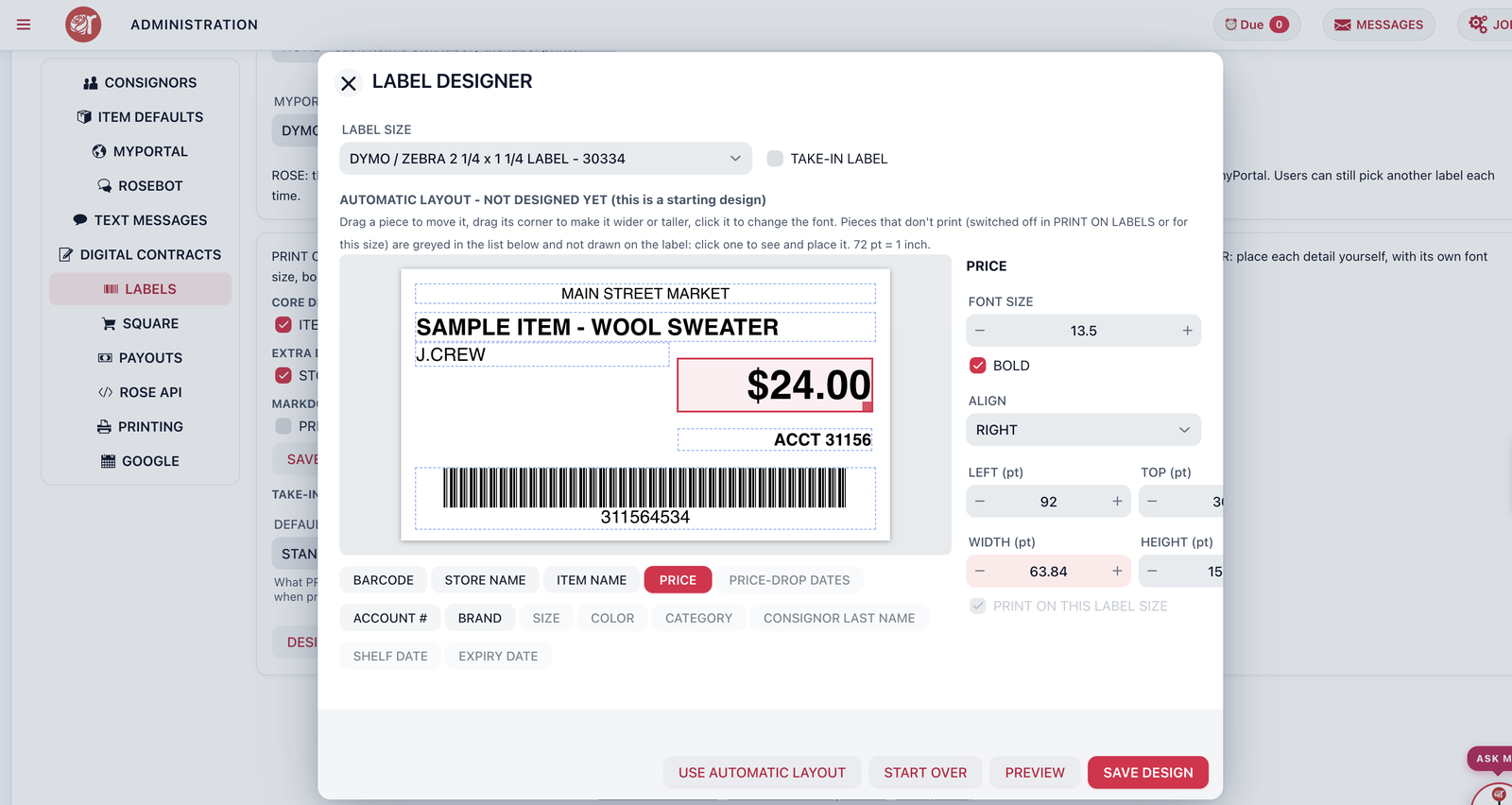
Labels laid out your way, printed from any computer
Drag the price, description and barcode where you want them, then print a whole take-in at once.
- Dymo and Zebra printers, including jewelry labels
- The printing set-up wizard connects your printers in a few clicks
- Share label printers with every computer in the store
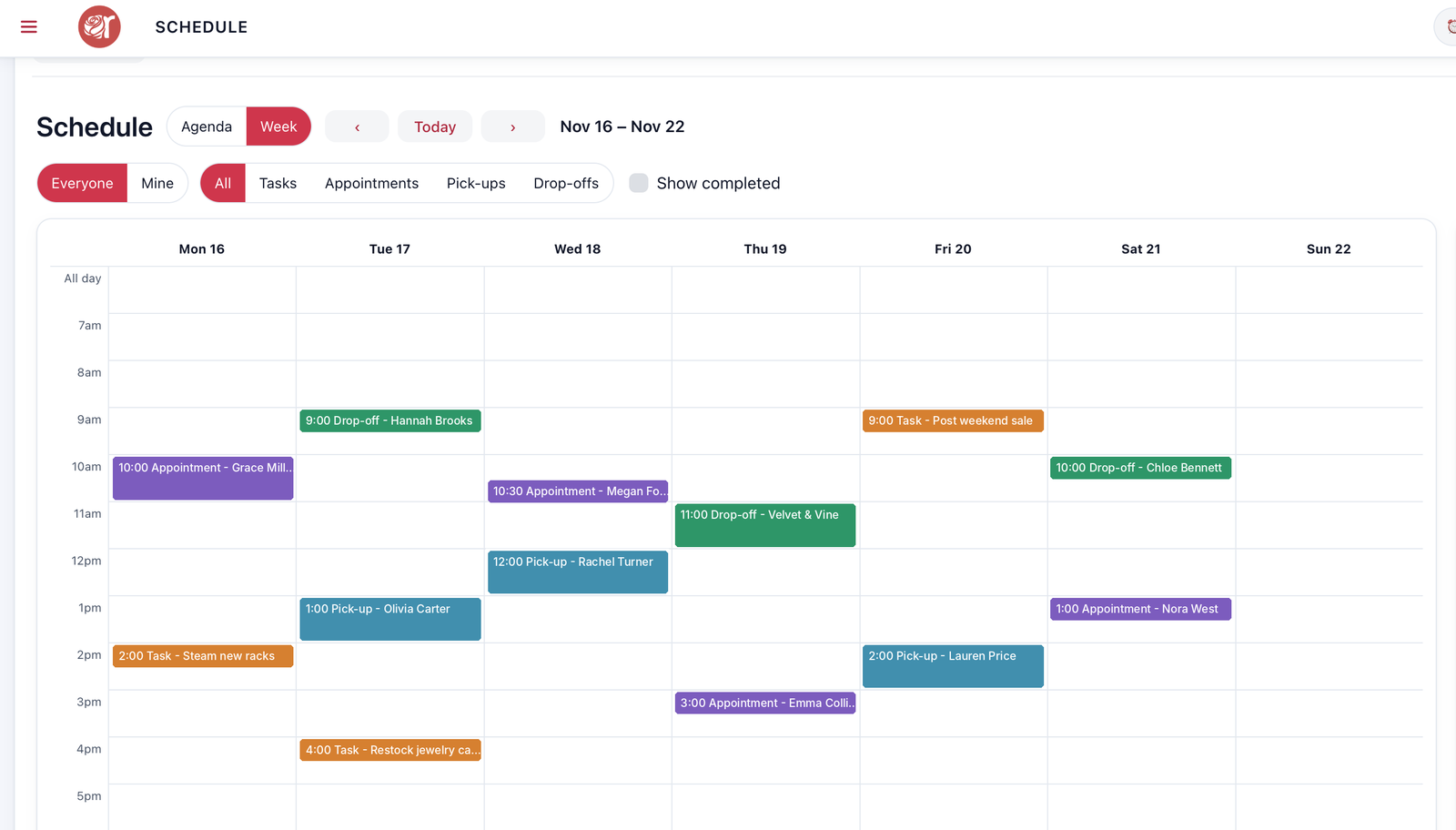
Appointments, pick-ups and tasks in one place
One schedule for the whole team, with reminders that go out to staff and consignors.
- Syncs with Google Calendar
- Drop-off and pick-up appointments booked from myPortal
- Sticky notes that pop up on the right contract or item
Design your checks once, print them in a batch
Lay out your checks to fit your check stock and print a whole payout run at once.
- Works with standard check paper
- Payout statements to go with every check
- Or skip paper with Rose Pay bank transfers Coming soon
Text consignors right from Rose
Send a quick text to one consignor, a few, or everyone – and read their replies in Rose.
- Payout-ready and pick-up reminders
- Replies land in Rose for the whole team
- Needs an SMS plan
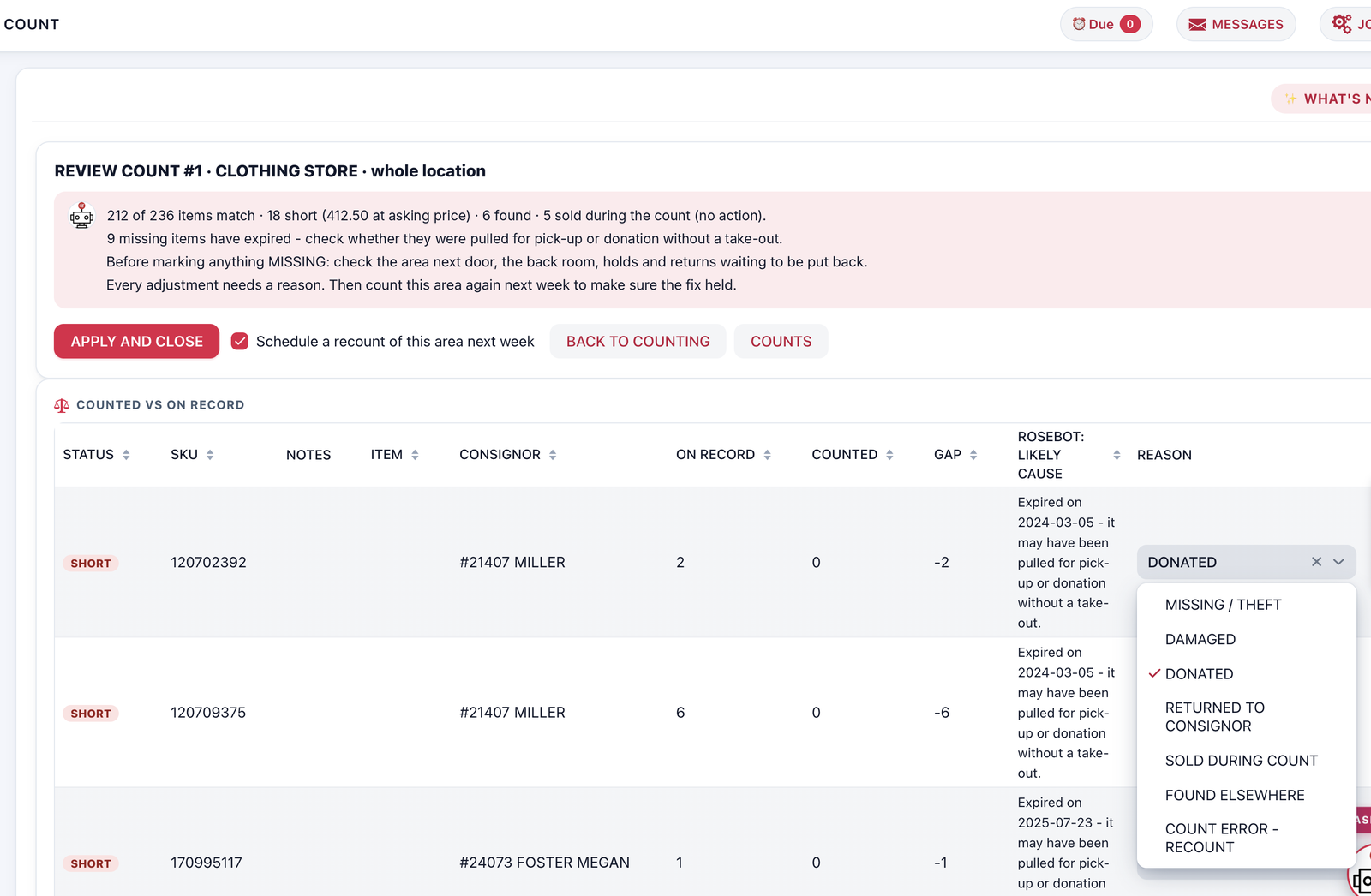
Your shelves and Rose, back in agreement
Count one rack, case or room at a time with a barcode scanner, your phone’s camera or by typing SKUs.
- See what’s missing and what turned up
- Fix the counts in one click
- Works on a phone on the shop floor
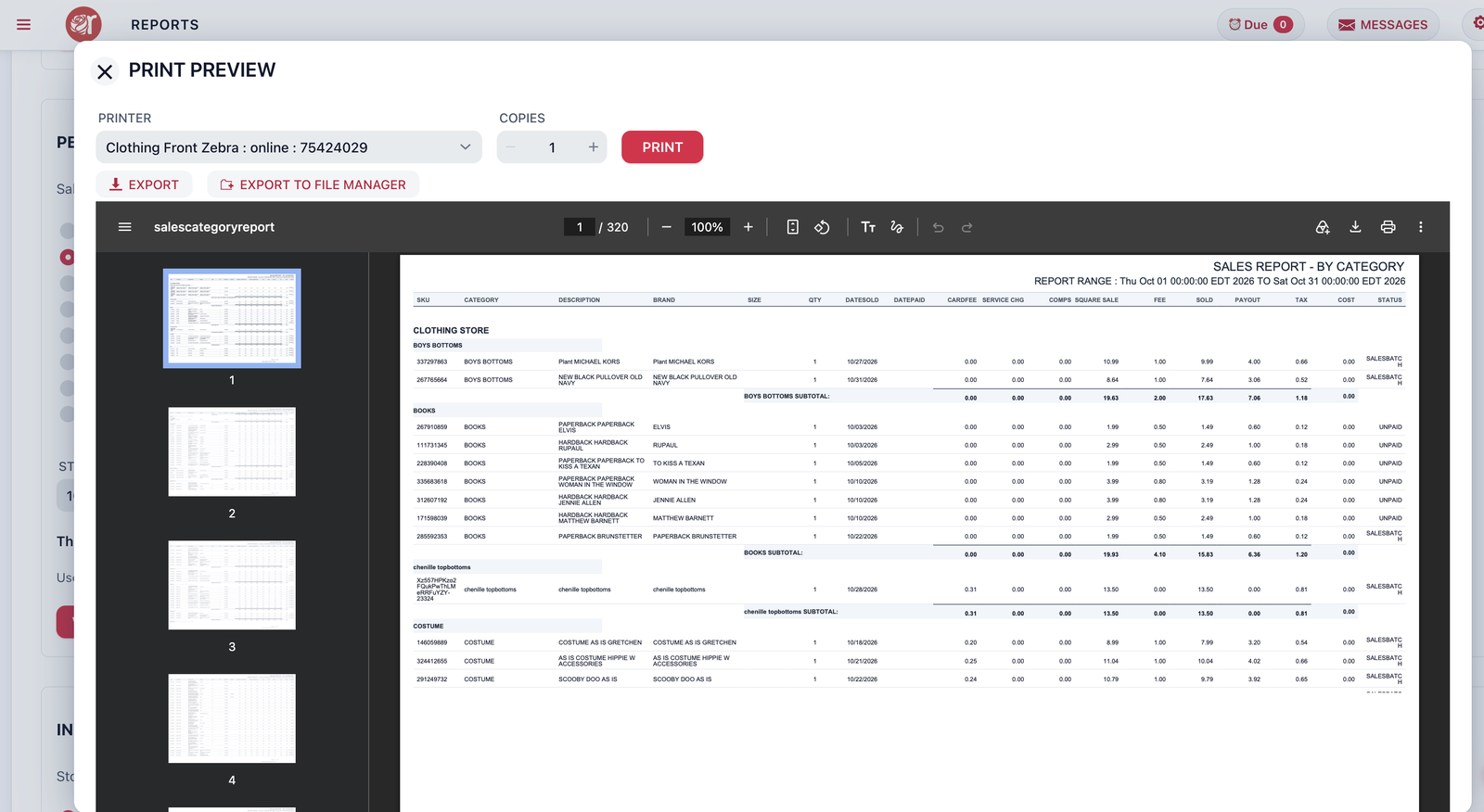
The numbers you need, when you need them
Sales by date, category or consignor, payouts due, fees, liability and inventory – ready to print or export.
- Dashboard for every location
- Export to CSV
- Ask Rosebot for anything that isn’t a report yet
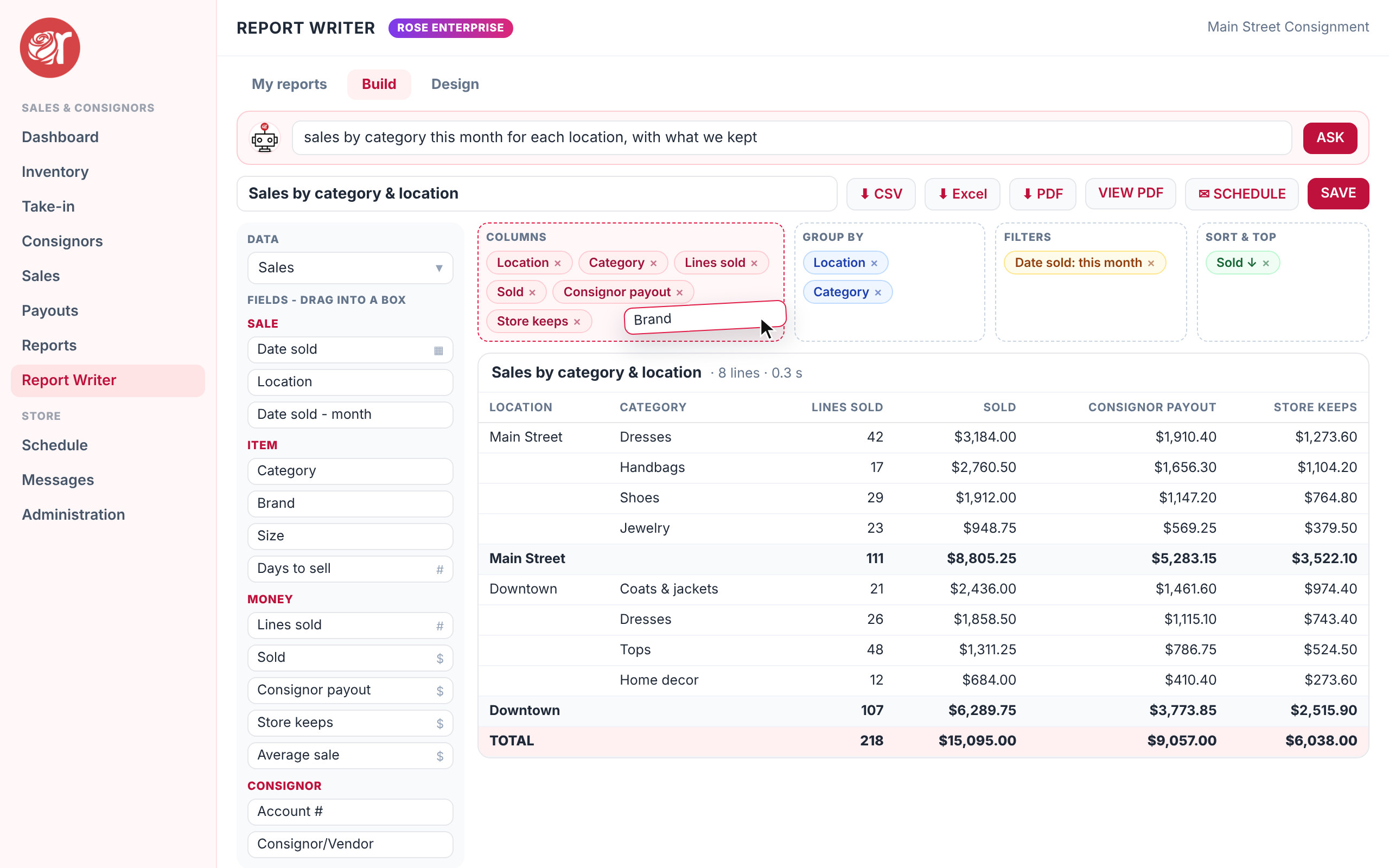
Build any report you want, by dragging
Drag the fields you want – sales, items, consignors, payouts, take-ins – into columns, group them, filter and sort them, and watch the report update as you go.
- Ask Rosebot in plain words: “best-selling categories last month by location”
- Design the page with totals, bar, line and pie charts – print it or download a PDF
- Download for Excel or CSV, and save it for next time
Connect Rose to everything else
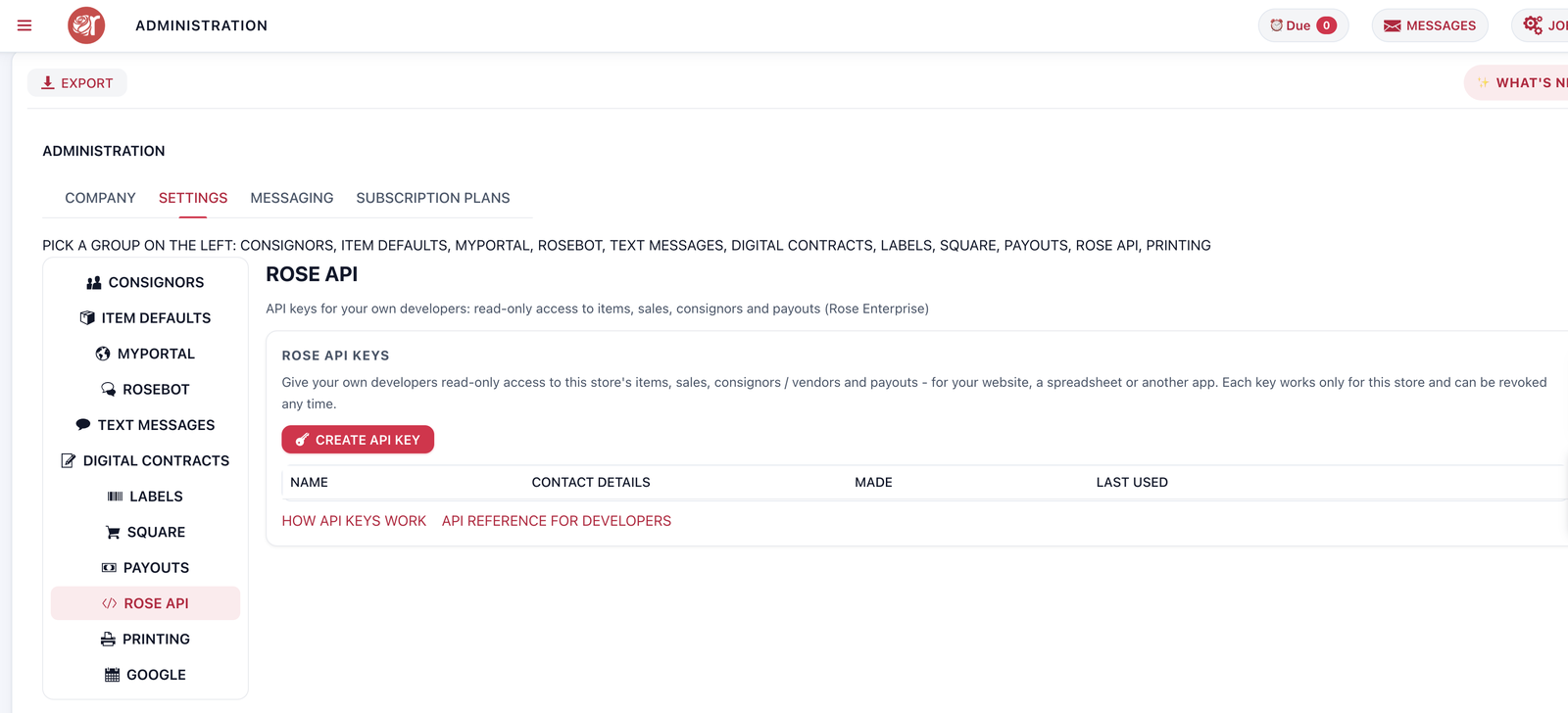
Rose Enterprise includes a read-only API for your store, items, sales, consignors and payouts.
- API keys you create and revoke in Settings
- A developer reference with every endpoint
- Build your own dashboards, listings and integrations
Consignment software that checks all the boxes
Consignor Portal
Give consignors and vendors visibility to their balances, payout history, sold items, and remote inventory entry.
User Access
Restrict employee access to specific features.
Inventory Management
Inventory is synced with Square's POS and tracked in Rose.
Reporting
Get an extensive, detailed view of your sales data to ensure your business's continued strategic growth.
Consignor Payouts
Payout Consignors and Vendors in Rose + Square® POS. Customizable payout screen, deduct in-store purchases against balance owed, and print checks.
Dashboard Overview
Check the performance of your locations in real time to stay on top of your business.
Item Fees & Rent
Cover your costs with item fees and recurring booth rent that bills itself.
Time-based Discounting
Create a discount scheme appropriate for your business. Apply discounts or fees on price, category, or a time-based schedule.
Workflow
Track your inventory, increase productivity of staff, and simplify operations.
Sales Splits
Control default splits by consignor or vendor.
Sell Online
Sell your Rose items in your Square Online store.
Square's Free POS
Square's best-in-class user interface allows you the freedom to sell anywhere - store, home, or vendor show without an additional cost.
 myPortal for consignors & vendors
Consignment software for all types of resale business
Managing consignor inventory can be a full-time job. Rose gives you time back and lets consignors and vendors manage their own inventory remotely with myPortal.
- Consignors see balances, sold items and payout history 24/7
- Vendors enter their own inventory and print their own labels
- Payouts by check, store credit or Rose Pay bank transfer Coming soon
What’s new in Rose
The latest features, with how to set them up.
Ask your store anything
Rosebot answers questions about sales, inventory, payouts and consignors from your own store data.
See how it worksTaxes & feesPick the taxes on every item – just like on Square
Every item has its own TAXES switches, one for each sales tax. Categories set the defaults, you lock what consignors may change.
See how it worksMulti-locationOne item, for sale at every location you choose
An item can be for sale at several Square locations, with its own quantity at each. Move stock between stores in a click.
See how it worksInventory countYour shelves and Rose, back in agreement
Count one rack, case or room at a time with a scanner, your phone's camera or by typing SKUs.
See how it worksText messagesText your consignors right from Rose Coming soon
Send a quick text to one consignor, a few, or everyone, and read their replies in Rose.
See how it worksRose PayPay consignors straight to their bank Coming soon
Skip the checkbook: payouts go by ACH bank transfer to your consignors' and vendors' own bank accounts.
See how it worksReady to see the new Rose?
Start your 30-day free trial. No credit card needed – your Rose store is ready in about a minute.